Browser HDR support
A test page with simple images and videos to verify your browser and device support for various HDR content.
JavaScript and CSS
Show report
Hide report
What the browser reports about itself.
| User agent | |
matchMedia('(dynamic-range: high)') |
|
matchMedia('(video-dynamic-range: high)') |
|
matchMedia('(min-color: 10)') |
|
screen.colorDepth |
HDR gain map images
Show gain maps
Hide gain maps
Gain map images contain additional metadata on top of the regular SDR image that allows devices with HDR capabilities to display them in wider dynamic range.

- If a large "HDR" text is visible in the middle of the image: Gain map is active in HDR
- If only a small "SDR base" text is visible: Your browser is rendering the image in SDR or doesn't support gain maps
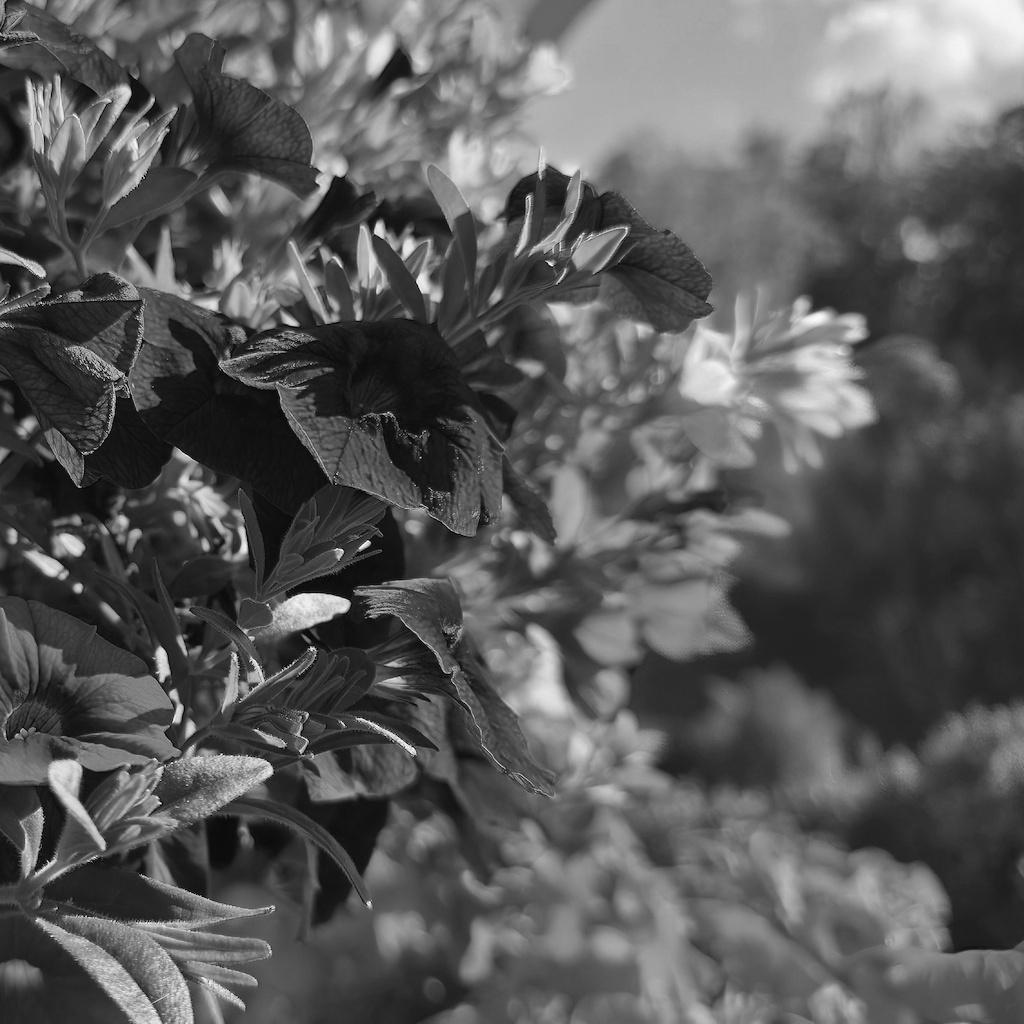
- If image shows in full color with large "HDR" faintly visible in the middle: Your browser supports multi-channel ISO 21496-1 gain maps
- If image shows in black and white: Your browser is rendering the image in SDR or doesn't support multi-channel gain maps

- If a large "HDR" text is visible in the middle of the image: Gain map is active in HDR
- If only a small "SDR base" text is visible: Your browser is rendering the image in SDR or doesn't support gain maps
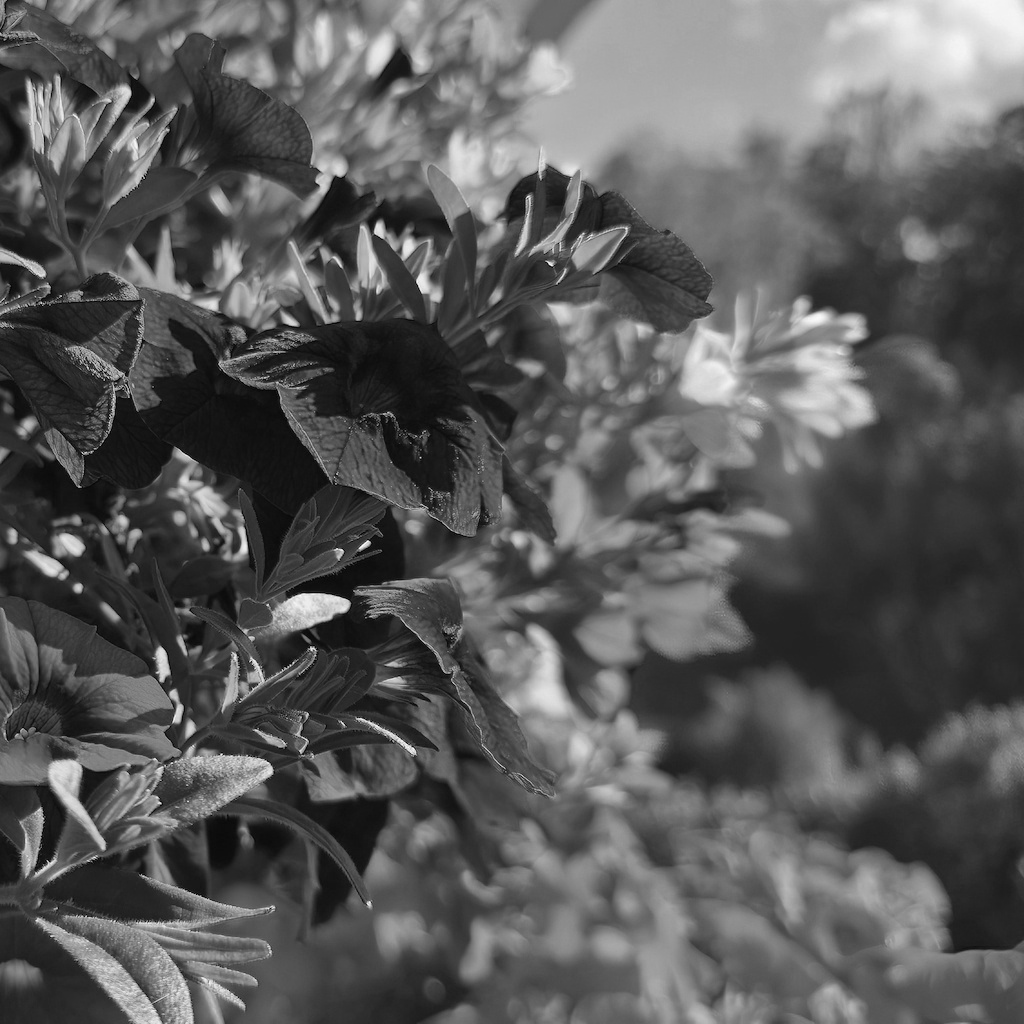
- If image shows in full color with large "HDR" faintly visible in the middle: Your browser supports multi-channel ISO 21496-1 gain maps
- If image shows in black and white: Your browser is rendering the image in SDR or doesn't support multi-channel gain maps

- If a large "HDR" text is visible in the middle of the image: Gain map is active in HDR
- If only a small "SDR base" text is visible: Your browser is rendering the image in SDR or doesn't support gain maps

- If image shows in full color with large "HDR" faintly visible in the middle: Your browser supports multi-channel ISO 21496-1 gain maps
- If image shows in black and white: Your browser is rendering the image in SDR or doesn't support multi-channel gain maps
Native AVIF HDR images
Show AVIF images
Hide AVIF images
These files have no SDR base layer. The pixels are stored directly in BT.2020 with a PQ or HLG transfer function, so a browser either understands the color signalling or renders the image wrong. Each test puts the HDR file next to a plain SDR reference for comparison.


- If the HDR side is clearly brighter than the reference half: HDR is active
- If both sides look about the same: the file is decoded but tone mapped down to SDR
- If the HDR side looks clearly darker: the transfer function is being ignored or mapped incorrectly

- If the HDR side is clearly brighter than the reference half: HDR is active
- If both sides look about the same: the file is decoded but tone mapped down to SDR
- If the HDR side looks clearly darker: the transfer function is being ignored or mapped incorrectly

- If the HDR side is clearly brighter than the reference half: HDR is active
- If both sides look about the same or HDR side is darker: the file is not rendering in HDR

- If the HDR side is clearly brighter than the reference half: HDR is active
- If both sides look about the same or HDR side is darker: the file is not rendering in HDR

- If the HDR side is clearly brighter than the reference half: HDR is active
- If both sides look about the same: the file is decoded but tone mapped down to SDR
- If the HDR side looks clearly darker: the transfer function is being ignored or mapped incorrectly

- If the HDR side is clearly brighter than the reference half: HDR is active
- If both sides look about the same: the file is decoded but tone mapped down to SDR
- If the HDR side looks clearly darker: the transfer function is being ignored or mapped incorrectly
Native HEIC HDR images
Supported by few browsers
Show HEIC images
Hide HEIC images
These files have no SDR base layer. The pixels are stored directly in BT.2020 with a PQ or HLG transfer function, so a browser either understands the color signalling or renders the image wrong. Each test puts the HDR file next to a plain SDR reference for comparison.

- If the HDR side is clearly brighter than the reference half: HDR is active
- If both sides look about the same: the file is decoded but tone mapped down to SDR
- If the HDR side looks clearly darker: the transfer function is being ignored or mapped incorrectly

- If the HDR side is clearly brighter than the reference half: HDR is active
- If both sides look about the same: the file is decoded but tone mapped down to SDR
- If the HDR side looks clearly darker: the transfer function is being ignored or mapped incorrectly

- If the HDR side is clearly brighter than the reference half: HDR is active
- If both sides look about the same or HDR side is darker: the file is not rendering in HDR

- If the HDR side is clearly brighter than the reference half: HDR is active
- If both sides look about the same or HDR side is darker: the file is not rendering in HDR
VP9 HDR video (10-bit)
Show VP9 videos
Hide VP9 videos
These files contain HDR plain color 10-bit VP9 video in BT.2020 with a PQ or HLG transfer in varying configurations.
- If the HDR side is clearly brighter than the reference half: HDR is active
- If both sides look about the same: the file is decoded but tone mapped down to SDR
- If the HDR side looks clearly darker: the transfer function is being ignored or mapped incorrectly
- If the HDR side is clearly brighter than the reference half: HDR is active
- If both sides look about the same: the file is decoded but tone mapped down to SDR
- If the HDR side looks clearly darker: the transfer function is being ignored or mapped incorrectly
- If the HDR side is clearly brighter than the reference half: HDR is active
- If both sides look about the same or HDR side is darker: the file is not rendering in HDR
- If the HDR side is clearly brighter than the reference half: HDR is active
- If both sides look about the same or HDR side is darker: the file is not rendering in HDR
AV1 HDR video (10-bit)
Show AV1 videos
Hide AV1 videos
These files contain HDR plain color 10-bit AV1 video in BT.2020 with a PQ or HLG transfer in varying configurations.
- If the HDR side is clearly brighter than the reference half: HDR is active
- If both sides look about the same: the file is decoded but tone mapped down to SDR
- If the HDR side looks clearly darker: the transfer function is being ignored or mapped incorrectly
- If the HDR side is clearly brighter than the reference half: HDR is active
- If both sides look about the same: the file is decoded but tone mapped down to SDR
- If the HDR side looks clearly darker: the transfer function is being ignored or mapped incorrectly
- If the HDR side is clearly brighter than the reference half: HDR is active
- If both sides look about the same or HDR side is darker: the file is not rendering in HDR
- If the HDR side is clearly brighter than the reference half: HDR is active
- If both sides look about the same or HDR side is darker: the file is not rendering in HDR
HEVC HDR video (10-bit)
Show HEVC videos
Hide HEVC videos
These files contain HDR plain color 10-bit HEVC video in BT.2020 with a PQ or HLG transfer in varying configurations.
- If the HDR side is clearly brighter than the reference half: HDR is active
- If both sides look about the same: the file is decoded but tone mapped down to SDR
- If the HDR side looks clearly darker: the transfer function is being ignored or mapped incorrectly
- If the HDR side is clearly brighter than the reference half: HDR is active
- If both sides look about the same: the file is decoded but tone mapped down to SDR
- If the HDR side looks clearly darker: the transfer function is being ignored or mapped incorrectly
- If the HDR side is clearly brighter than the reference half: HDR is active
- If both sides look about the same or HDR side is darker: the file is not rendering in HDR
- If the HDR side is clearly brighter than the reference half: HDR is active
- If both sides look about the same or HDR side is darker: the file is not rendering in HDR
VP9 HDR video (12-bit)
Rarely used
Show VP9 videos
Hide VP9 videos
These files contain HDR plain color 12-bit VP9 video in BT.2020 with a PQ or HLG transfer in varying configurations.
- If the HDR side is clearly brighter than the reference half: HDR is active
- If both sides look about the same: the file is decoded but tone mapped down to SDR
- If the HDR side looks clearly darker: the transfer function is being ignored or mapped incorrectly
- If the HDR side is clearly brighter than the reference half: HDR is active
- If both sides look about the same: the file is decoded but tone mapped down to SDR
- If the HDR side looks clearly darker: the transfer function is being ignored or mapped incorrectly
- If the HDR side is clearly brighter than the reference half: HDR is active
- If both sides look about the same or HDR side is darker: the file is not rendering in HDR
- If the HDR side is clearly brighter than the reference half: HDR is active
- If both sides look about the same or HDR side is darker: the file is not rendering in HDR
AV1 HDR video (12-bit)
Rarely used
Show AV1 videos
Hide AV1 videos
These files contain HDR plain color 12-bit AV1 video in BT.2020 with a PQ or HLG transfer in varying configurations.
- If the HDR side is clearly brighter than the reference half: HDR is active
- If both sides look about the same: the file is decoded but tone mapped down to SDR
- If the HDR side looks clearly darker: the transfer function is being ignored or mapped incorrectly
- If the HDR side is clearly brighter than the reference half: HDR is active
- If both sides look about the same: the file is decoded but tone mapped down to SDR
- If the HDR side looks clearly darker: the transfer function is being ignored or mapped incorrectly
- If the HDR side is clearly brighter than the reference half: HDR is active
- If both sides look about the same or HDR side is darker: the file is not rendering in HDR
- If the HDR side is clearly brighter than the reference half: HDR is active
- If both sides look about the same or HDR side is darker: the file is not rendering in HDR
HEVC HDR video (12-bit)
Rarely used
Show HEVC videos
Hide HEVC videos
These files contain HDR plain color 12-bit HEVC video in BT.2020 with a PQ or HLG transfer in varying configurations.
- If the HDR side is clearly brighter than the reference half: HDR is active
- If both sides look about the same: the file is decoded but tone mapped down to SDR
- If the HDR side looks clearly darker: the transfer function is being ignored or mapped incorrectly
- If the HDR side is clearly brighter than the reference half: HDR is active
- If both sides look about the same: the file is decoded but tone mapped down to SDR
- If the HDR side looks clearly darker: the transfer function is being ignored or mapped incorrectly
- If the HDR side is clearly brighter than the reference half: HDR is active
- If both sides look about the same or HDR side is darker: the file is not rendering in HDR
- If the HDR side is clearly brighter than the reference half: HDR is active
- If both sides look about the same or HDR side is darker: the file is not rendering in HDR
VP9 HDR video (8-bit)
Shouldn't be used for HDR
Show VP9 videos
Hide VP9 videos
These files contain HDR plain color 8-bit VP9 video in BT.2020 with a PQ or HLG transfer in varying configurations.
- If the HDR side is clearly brighter than the reference half: HDR is active
- If both sides look about the same: the file is decoded but tone mapped down to SDR
- If the HDR side looks clearly darker: the transfer function is being ignored or mapped incorrectly
- If the HDR side is clearly brighter than the reference half: HDR is active
- If both sides look about the same: the file is decoded but tone mapped down to SDR
- If the HDR side looks clearly darker: the transfer function is being ignored or mapped incorrectly
- If the HDR side is clearly brighter than the reference half: HDR is active
- If both sides look about the same or HDR side is darker: the file is not rendering in HDR
- If the HDR side is clearly brighter than the reference half: HDR is active
- If both sides look about the same or HDR side is darker: the file is not rendering in HDR
AV1 HDR video (8-bit)
Shouldn't be used for HDR
Show AV1 videos
Hide AV1 videos
These files contain HDR plain color 8-bit AV1 video in BT.2020 with a PQ or HLG transfer in varying configurations.
- If the HDR side is clearly brighter than the reference half: HDR is active
- If both sides look about the same: the file is decoded but tone mapped down to SDR
- If the HDR side looks clearly darker: the transfer function is being ignored or mapped incorrectly
- If the HDR side is clearly brighter than the reference half: HDR is active
- If both sides look about the same: the file is decoded but tone mapped down to SDR
- If the HDR side looks clearly darker: the transfer function is being ignored or mapped incorrectly
- If the HDR side is clearly brighter than the reference half: HDR is active
- If both sides look about the same or HDR side is darker: the file is not rendering in HDR
- If the HDR side is clearly brighter than the reference half: HDR is active
- If both sides look about the same or HDR side is darker: the file is not rendering in HDR
HEVC HDR video (8-bit)
Shouldn't be used for HDR
Show HEVC videos
Hide HEVC videos
These files contain HDR plain color 8-bit HEVC video in BT.2020 with a PQ or HLG transfer in varying configurations.
- If the HDR side is clearly brighter than the reference half: HDR is active
- If both sides look about the same: the file is decoded but tone mapped down to SDR
- If the HDR side looks clearly darker: the transfer function is being ignored or mapped incorrectly
- If the HDR side is clearly brighter than the reference half: HDR is active
- If both sides look about the same: the file is decoded but tone mapped down to SDR
- If the HDR side looks clearly darker: the transfer function is being ignored or mapped incorrectly
- If the HDR side is clearly brighter than the reference half: HDR is active
- If both sides look about the same or HDR side is darker: the file is not rendering in HDR
- If the HDR side is clearly brighter than the reference half: HDR is active
- If both sides look about the same or HDR side is darker: the file is not rendering in HDR